 Flagship
Travertine
- Free
- Portfolio
- 4 styles
- WordPress 7.0+
- PHP 7.4+


Scroll inside the preview
Overview
A soft-luxury portfolio theme for interior designers and decorators: warm stone and linen, large Cormorant headlines, arched image masks, material mood boards and a before and after centerpiece.
Travertine sets your interior design studio like a page of a well-printed monograph: warm linen paper, umber ink, clay and brass accents, large Cormorant headlines in roman and italic, small caps labels and thin brass rules. Photographs sit in arch-shaped "niches", each framed by a second, finer arch that opens a little when you point at it. The work is the colour.
It is built on the Symelo portfolio foundation, so projects are a real content type with their own fields, and everything below works without a page builder:
- Projects: a Projects menu with disciplines and industries, client, year, role, duration, location, tools, a live link, a summary, galleries, a before/after slider, results, credits, a client quote, a map and the next project. Values are edited with the free Secure Custom Fields plugin (the theme offers to install it) and keep showing without it.
- Project pages: the before/after slider sits directly under the title, the gallery is an arch-masked carousel, and the facts are set in small caps.
- Five heroes: an arched triptych, a full-bleed room, a before and after arch, a material mood board and a split hero with a "Book a consultation" button.
- Signature sections: the process (consultation, concept, sourcing, installation) on a brass line, a collage of material swatches, testimonials as large italic quotes and a consultation form with room type and approximate size.
- Forms: a project inquiry form, contact and collaboration forms. Messages are stored in the dashboard and emailed to you.
- Galleries: masonry and carousel gallery styles and a lightbox with captions, swipe and keyboard support.
- Motion: slow fades and quiet reveals; all of it off for visitors who prefer reduced motion.
- Light and dark: a switch in the header that remembers the visitor's choice, and three style variations: Evening (dark), Limewash and Terracotta, each with its own night or day partner.
Templates: blog home, single post, page, archive, search, 404, the project page, the projects archive, discipline and industry archives, plus the custom templates Landing page, Wide and Case study. Template parts: header (centered wordmark), header over a hero image, footer and a minimal footer.
More than fifty patterns for a studio site, from heroes and selected work to services, the process, the materials board, testimonials, the studio, FAQ, forms and complete pages.
The demo content (Appearance → Import demo) installs a complete studio with nine projects, disciplines, industries, clients, awards and the Home, Work, Studio and Contact pages.
Questions
Where do I add projects and studio details?
Projects have their own menu (Projects → Add Project); the project details are below the editor. Your availability, email, phone, address, clients and awards are under Projects → Studio details. Both need the free Secure Custom Fields plugin, which the theme offers to install in one click. Without it, everything already entered keeps showing.
Where do form submissions go?
Every inquiry, message, collaboration request and newsletter signup is saved under Messages in the dashboard and emailed to the site's administration email address. To send them somewhere else, open Messages → Settings and enter one or more recipients, or select a form block and set its own recipients in the block settings. Make sure your site can send email (most hosts need an SMTP plugin or service for reliable delivery).
How does the hover preview of the project index work?
On a computer with a mouse, the cover image of the row under the pointer follows it. It uses the project's featured image ("Cover image"). On phones and tablets the image shows as a small thumbnail at the start of each row, and keyboard users see it beside the focused row.
How do I add a featured video to a project or a post?
In the editor, open the document settings and find the Featured video panel. Paste a YouTube or Vimeo link, or choose a video file from the media library. The project page shows it edge to edge in place of the cover image.
Can I turn the animations off?
They switch off automatically for visitors who ask their device for reduced motion. To remove an animation from a block, select it and clear the effect in the Motion panel (or remove the sk-… class under Advanced → Additional CSS classes).
How does dark mode work?
The moon / sun button in the header switches between a light and a dark palette and remembers the choice in the visitor's browser. Every style variation has its own partner: Paper and Night swap with each other, Blueprint has a cobalt night, Kraft a dark brown and Mono a pure black version. Pick the variation in Appearance → Editor → Styles.
Why does the page title sometimes not appear?
The page template leaves out the title when the page opens with its own hero (a heading, a cover or one of the hero and full-page patterns), so it never appears twice. Use the Landing page template to leave it out everywhere.
All versions
- 1.0.0WordPress 7.0+ · PHP 7.4+ZIP · 2.5 MB
- First release.
SHA-256
8fe70736214cc3b02de6cdb9a71fb3ba7ccbf19145ee48193990f8e2d4aff2bc
Credits
Travertine WordPress Theme, (C) 2026 Symelo LTD. Travertine is distributed under the terms of the GNU GPL.
This program is free software: you can redistribute it and/or modify it under the terms of the GNU General Public License as published by the Free Software Foundation, either version 2 of the License, or (at your option) any later version.
This program is distributed in the hope that it will be useful, but WITHOUT ANY WARRANTY; without even the implied warranty of MERCHANTABILITY or FITNESS FOR A PARTICULAR PURPOSE. See the GNU General Public License for more details.
Symelo Theme Kit (inc/kit) and Symelo portfolio foundation (inc/foundation) License: GPLv2 or later, https://www.gnu.org/licenses/gpl-2.0.html Copyright: (C) 2026 Symelo LTD
Cormorant (assets/fonts/cormorant) License: SIL Open Font License 1.1, https://openfontlicense.org (assets/fonts/cormorant/OFL.txt) Copyright: 2015 The Cormorant Project Authors Source: https://github.com/CatharsisFonts/Cormorant
Albert Sans (assets/fonts/albert-sans) License: SIL Open Font License 1.1, https://openfontlicense.org (assets/fonts/albert-sans/OFL.txt) Copyright: 2021 The Albert Sans Project Authors Source: https://fonts.google.com/specimen/Albert+Sans
Images from the Symelo placeholder library (https://symelo.com/tools/placeholder-images), (C) 2026 Symelo LTD, distributed with the theme under the GPLv2 or later:
- assets/images: interiors-10, interiors-12, interiors-5 (the tea room, the arched hallway, the conservatory), and the portfolio foundation's demo images terracotta-bath, terracotta-bath-before, atrium, studio-table, paper-waves and terracotta-housing.
- inc/foundation/demo/images (the portfolio foundation's demo images, used in the demo content): paper-waves (abstract-1), glass-forms (abstract-2), ink-cloud (abstract-5), copper-ribbon (abstract-6), terracotta-housing (architecture-2), atrium (architecture-12), terracotta-bath and terracotta-bath-before (interiors), headphones and studio-table.
More portfolio themes
Browse all 9 themes- Flagship
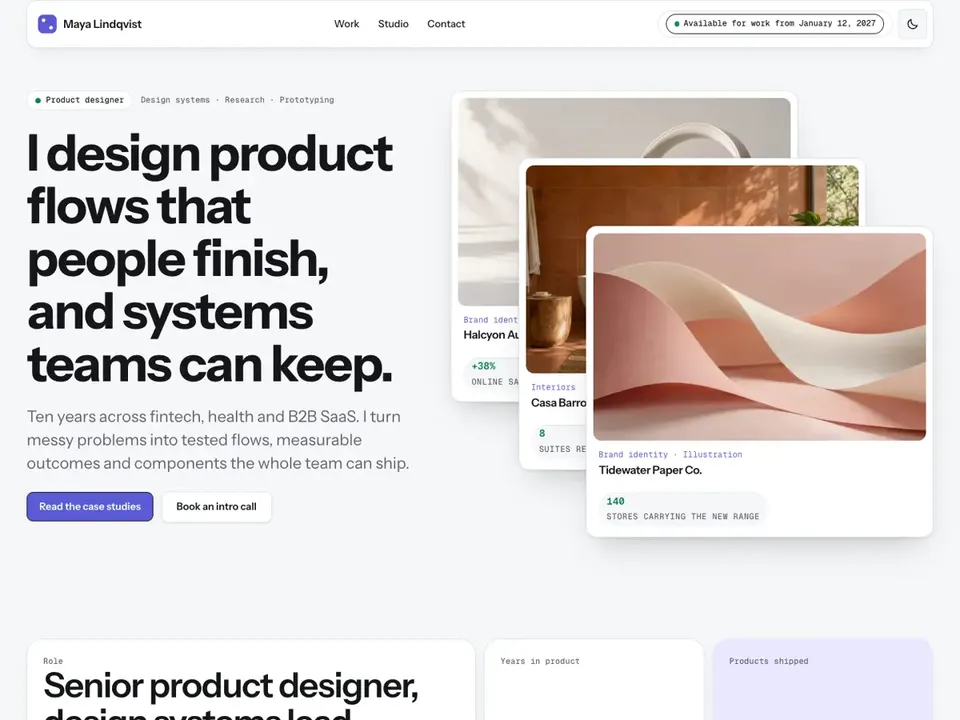
Affordance
PortfolioA calm, systematic portfolio theme for UX and product designers: white cards on a soft grey canvas, annotated screenshots, device frames, metric cards and long-read case studies.
4 styles1.4 MB