
PlugDriveAndroid File Transfer for Mac
Copy photos and files between an Android phone and a Mac with a USB cable.
First open: System Settings › Privacy & Security › Open Anyway.

Transfer files from Android to Mac
Plug in and unlock
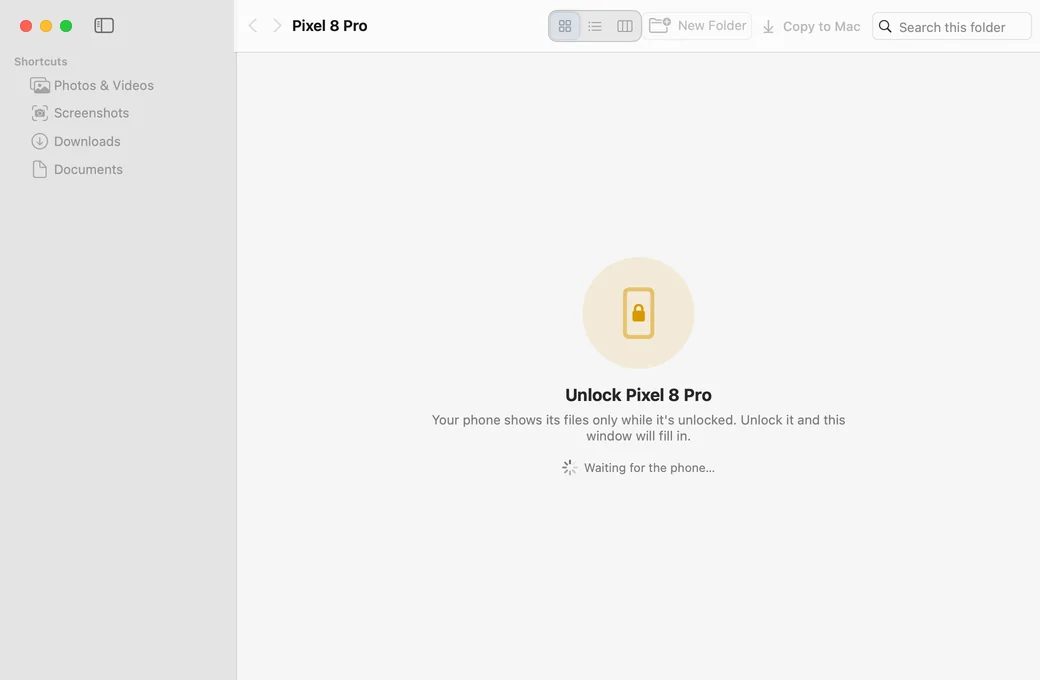
The phone is locked: unlock it to see its files - Says what the phone needs
Choose File transfer
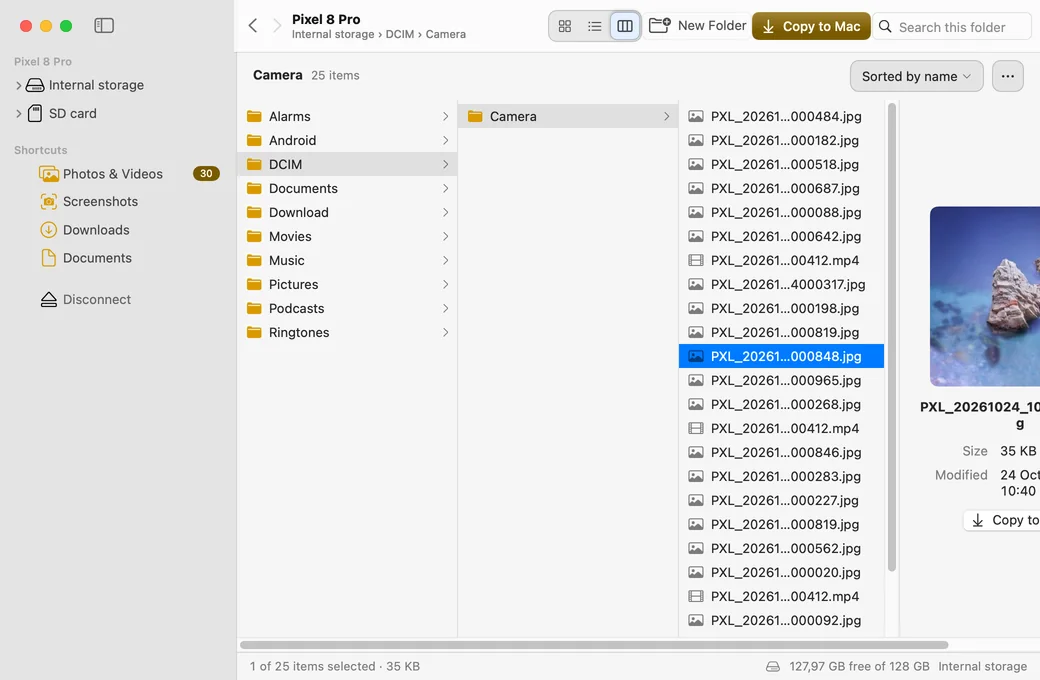
Browsing an Android phone's folders on a Mac - The phone's folders appear
Drag files
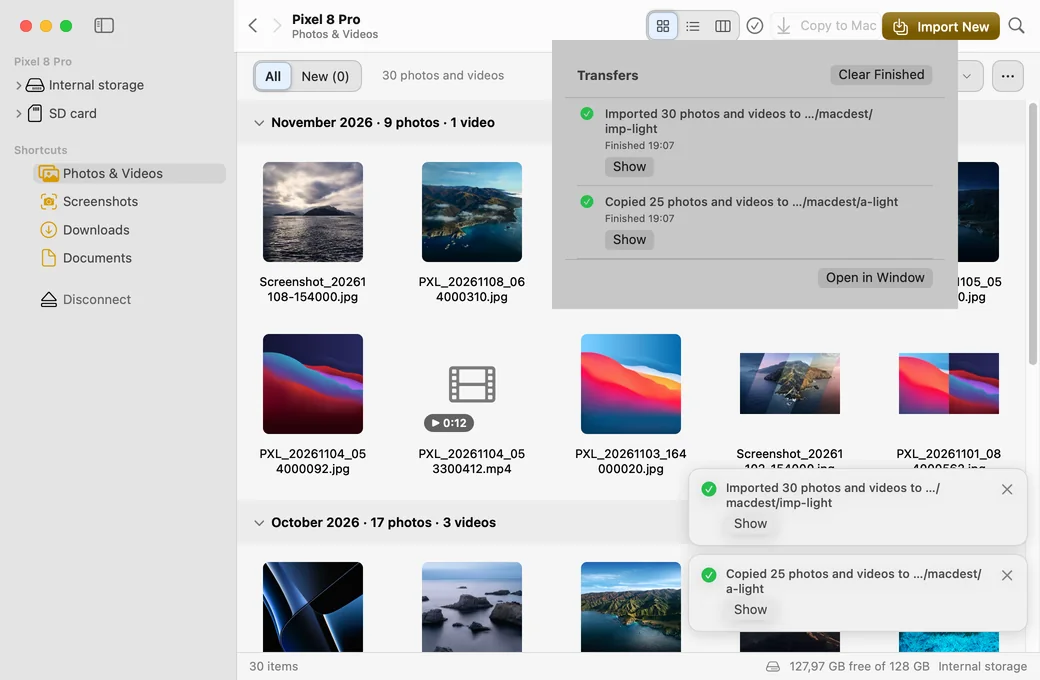
Finished transfers from Android to Mac - Both ways, files over 4 GB
- Search the whole phone; SD card too


Why your Mac doesn't see the phone
| The phone is | What to do |
|---|---|
| Locked | Unlock it |
| Only charging | USB notification › File transfer |
| Held by another app | PlugDrive names it (Photos, Preview, Image Capture, Android File Transfer) |
| In PTP mode | Switch to File transfer |

Import only new photos
- Photos and videos by month
- Only what wasn't imported before
- Into Apple Photos if you like
- Can delete from the phone after copying

Back up the whole phone
- Everything first, then only changes
- Older versions kept
- Picks up when the phone is plugged in again
- Mac stays awake
- Copy a backup back to the phone

PlugDrive vs MacDroid and OpenMTP
| PlugDrive | MacDroid | OpenMTP | |
|---|---|---|---|
| Price | Free | Free; PRO $19 a year or $34 once | Free |
| Copy from the Mac to the phone | Yes | PRO only | Yes |
| Download size | 4.1 MB | 20.0 MB | 120.4 MB |
- A folder of 1,082 files opens in under half a second (Samsung Galaxy A13).
- A 4.4 GB file copied both ways on the same phone.
Prices and sizes checked on 15 Nov 2026: macdroid.app/purchase, MacDroid, App Store, OpenMTP 3.3.0
Android file transfer on Mac: questions
Why doesn't my Mac see my Android phone?
macOS can't open Android phones by itself (they use MTP), and when PlugDrive can't reach one, it says why: the phone is locked, only charging, in PTP mode or held by another app. Why your Mac doesn't see the phone
Does it replace Android File Transfer?
Yes. Google no longer offers Android File Transfer, and PlugDrive does the same job on current Macs: browse the phone and copy files both ways, plus drag and drop, files over 4 GB and importing only new photos. If Android File Transfer is still installed, quit it: its menu bar helper takes the phone as soon as it is plugged in.
Does it work with Samsung phones?
Yes. It was tested with a Samsung Galaxy A13 on Android 14, copying both ways, including a 4.4 GB file. On Samsung phones, macOS's photo import often takes the phone first: quit Photos, Image Capture and Preview, then plug the phone in again.
Do I need an app on the phone?
No. Android shares its files over USB by itself; you only choose File transfer in the phone's USB notification.
Can I back up my Android phone to a Mac?
Yes: Back Up Phone copies everything once, then only what changed. Back up the whole phone
Can I copy files larger than 4 GB?
Yes, in both directions, except on a FAT32 SD card.
Is it free?
Yes. It is free, with no account, no ads and no in-app purchases.
Didn't find your answer?
Download and install
PlugDrive 1.1.1 ·
Updates itself (can be turned off). Every update is checked against the app's release key.
Something not working after an update?
- Drag PlugDrive to Applications.
- First open: System Settings › Privacy & Security › Open Anyway (once).
What's new in 1.1.1
- New app icon
Checksums (SHA-256)
- Disk image
7f847b4c1bfb214fda888e54ac5a26f661a2d0d8519075717068539b696f85c6- ZIP
19734f08dccb17eab13735323b302e7a0dc543b78c2083c950f53aa888625cd3
Earlier versions
Only the newest version can be downloaded.
1.1.0 ·
- New: Back Up Phone copies everything on your Android phone to a folder on your Mac, then only what's new or changed.
- Backups survive unplugging and locking: they continue by themselves, and the Mac stays awake while copying.
- Works with a touch screen and a mouse: larger tap targets, menus for every action, drags in every view.
1.0.1 ·
- Updates install reliably, even when the previous copy has already quit
1.0.0 ·
- First release.
Report a bug or request a feature
- Found a bug? Tell us what happened and we'll fix it in an update.
- Missing something? Tell us what the app should do next.
Comments