

Video Resizer for WindowsMake any video small enough to send
Get an MP4 copy that fits Discord, email or WhatsApp, made by Windows' own video encoder.
If SmartScreen warns: More info › Run anyway.

Compress a video on Windows
Drop videos
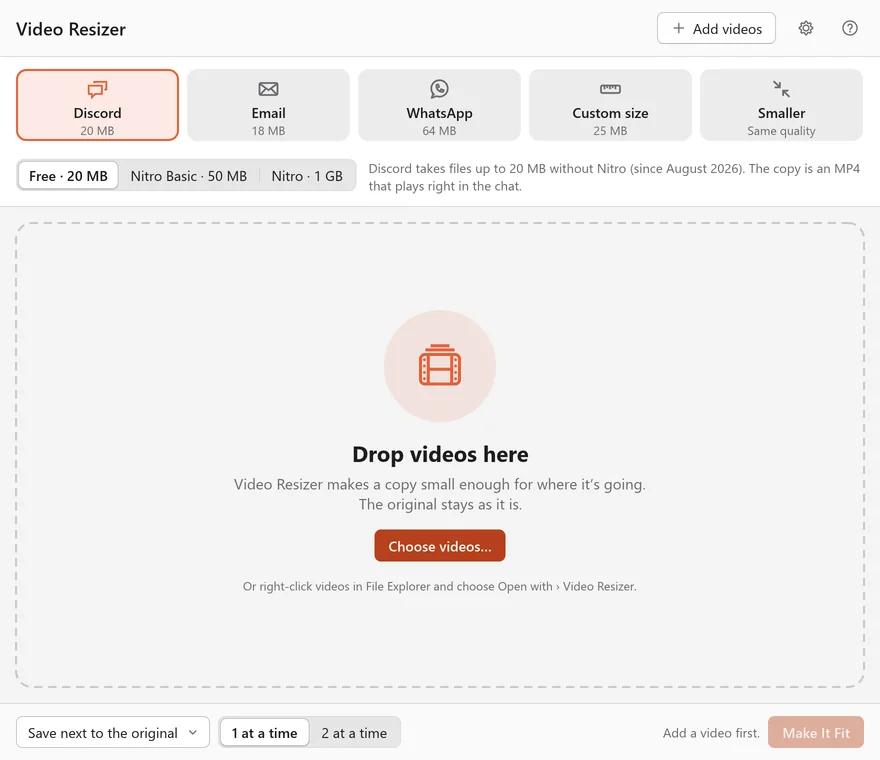
Drop videos on the window and choose where they're going - One, several or a folder; or Open with › Video Resizer
Pick where it goes
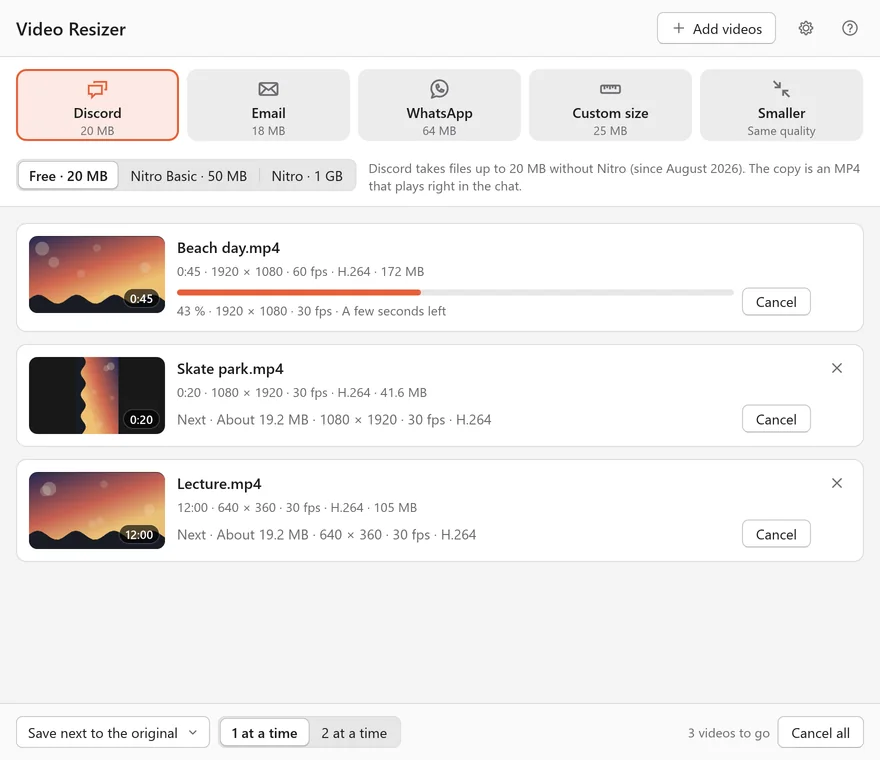
Shrinking videos for Discord with the PC's video encoder - Discord, email, WhatsApp or your own size
- Press Make It Fit
Drag the copy out
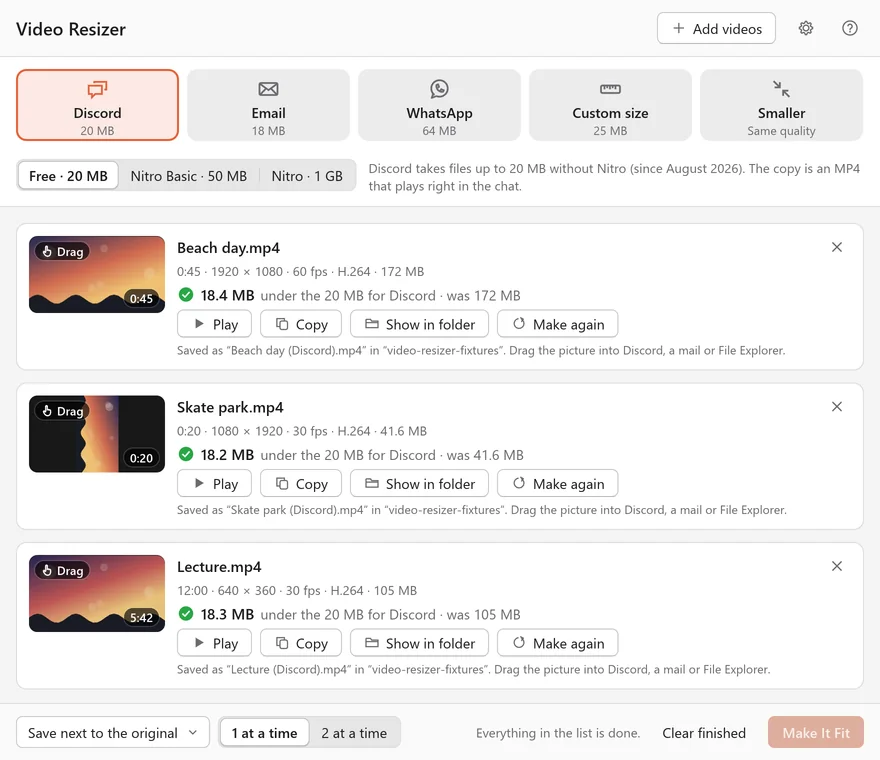
Finished copies under 20 MB for Discord: drag, copy, play or show them in their folder - Saved next to the original, which never changes; location is never copied
- Drag it into Discord, mail or File Explorer


Size limits for Discord, email and WhatsApp
| Destination | Fits | Note |
|---|---|---|
| Discord | 20 MB / 50 MB / 1 GB | Free / Nitro Basic / Nitro |
| 18 MB | Mail takes 25 MB, and attachments grow by about a third on the way | |
| 64 MB at 720p | — | |
| Custom | 1–4000 MB | — |
| Smaller, same quality | No limit | H.264, or HEVC only when the PC has an encoder |
Checked 15 Nov 2026.
When a video is too long
- Says how long a part fits
- Keep that part, or trim by hand
- Or allow lower picture quality

Compressing videos on Windows: questions
Which encoder does it use?
Windows' own video encoders, through Media Foundation, on the graphics hardware when the PC has it (Intel Quick Sync, NVIDIA or AMD), else Microsoft's software encoder. H.264 works on every PC; HEVC, which makes smaller files at the same quality, is offered only when the PC has an HEVC encoder.
Why does Windows say it protected my PC?
Video Resizer isn't signed by Microsoft yet, so SmartScreen warns once: click More info, then Run anyway. Download and install
Does it upload my videos?
No. Everything happens on your PC. The only network use is the check for a new version on symelo.com. Copies never carry the location where the video was filmed.
Is it free?
Yes. It is free, with no account, no ads and no in-app purchases.
Didn't find your answer?
Download and install
Video Resizer for Windows 1.0.0 ·
Updates itself (can be turned off). Every update is checked against the app's release key.
Something not working after an update?
- Unzip and open Video Resizer.exe; nothing to install.
- SmartScreen warns once, because the app isn't signed by Microsoft yet: More info › Run anyway.
- For a Start menu shortcut: Settings › General › Add to Start menu.
What's new in 1.0.0
- First Windows release: make any video small enough for Discord, email or WhatsApp, with the PC's own video hardware.
Checksums (SHA-256)
- ZIP
6d1f50d951f6b82e57e0ae8e858adcd499624f25a29a98e41b9f414e8deaf0d1
Requirements
HEVC (iPhone), AV1 and VP9 videos need their Microsoft Store extensions; the app says which one.
Report a bug or request a feature
- Found a bug? Tell us what happened and we'll fix it in an update.
- Missing something? Tell us what the app should do next.
Comments